
Every screen. In harmony.
Free church presentation software for lyrics, Bible and slides
Worship Q is a free, open-source church presentation app for macOS and Windows that shows song lyrics, Bible passages, slides and videos on the projector and the live stream. Plan each week's run sheet and present it, with no account and no internet needed.
Download
Version 2.15.0 · 23 November 2026 · What's new
Installed copies update themselves, and never while the slideshow is open.
Opening it the first time
- Mac
- Drag Worship Q to Applications and open it.
- Windows
- Worship Q is not yet signed with Microsoft, so Windows asks before opening it once. If “Windows protected your PC” appears, choose More info, then Run anyway. Updates after that need nothing.
See it
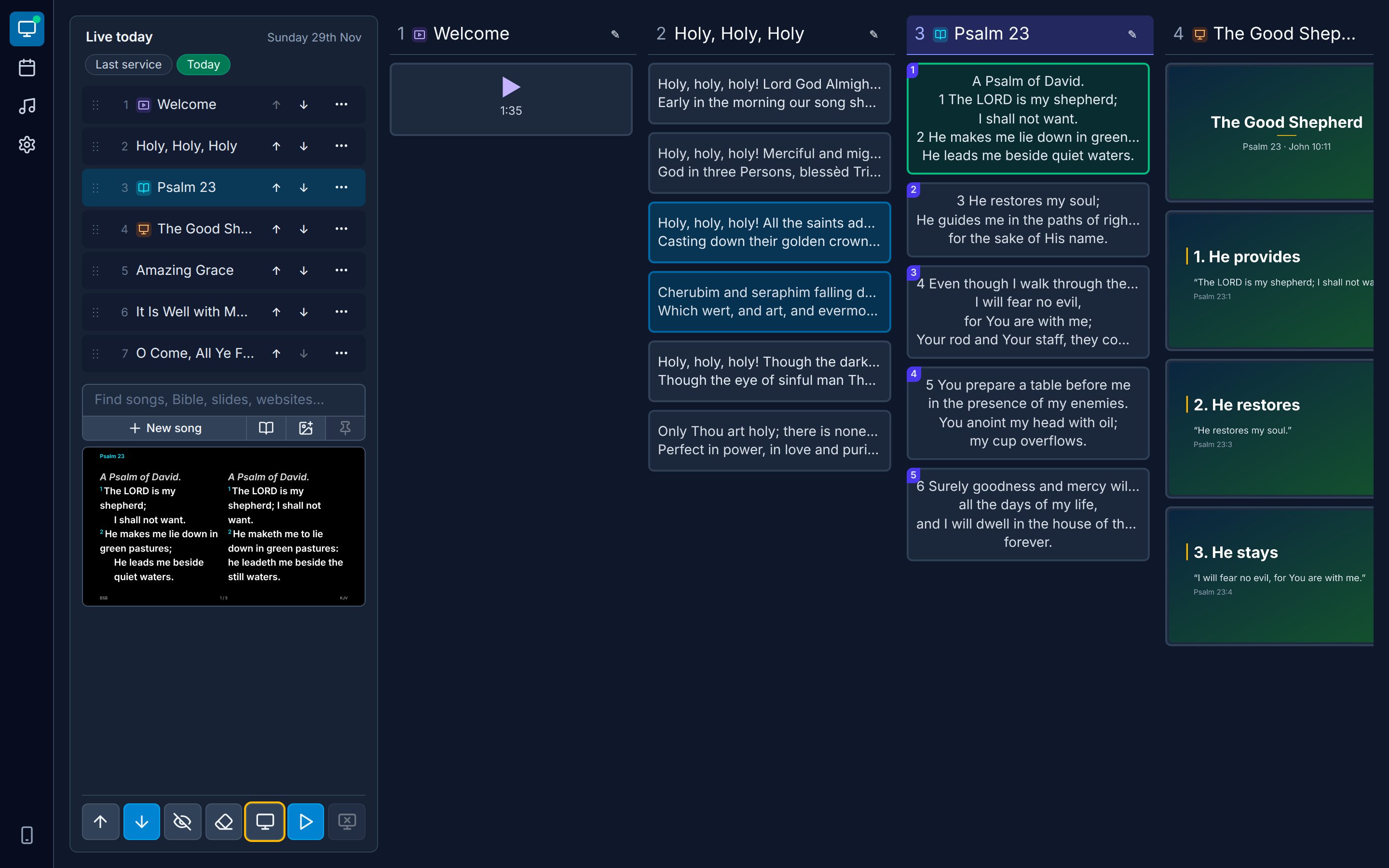
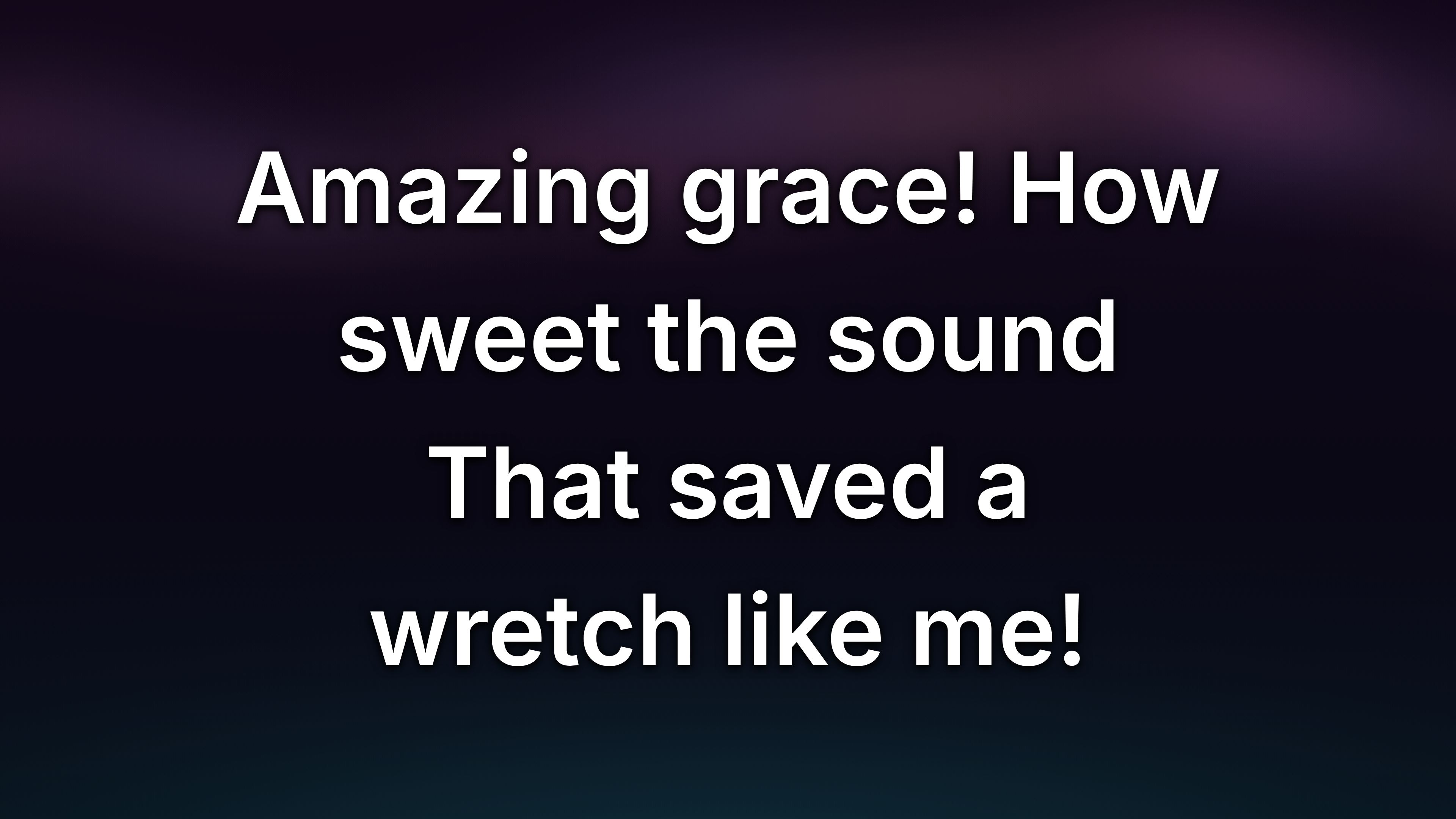
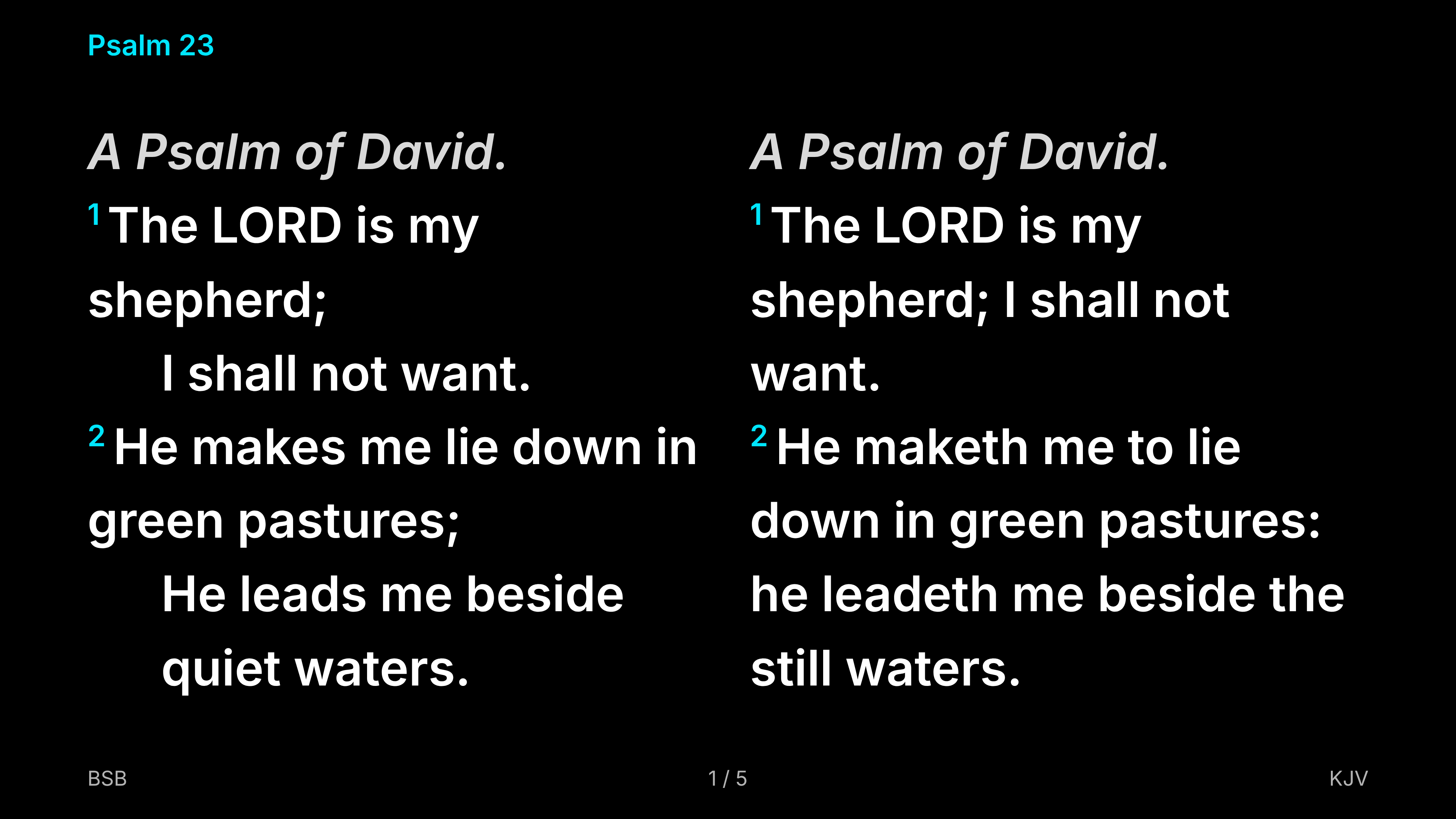
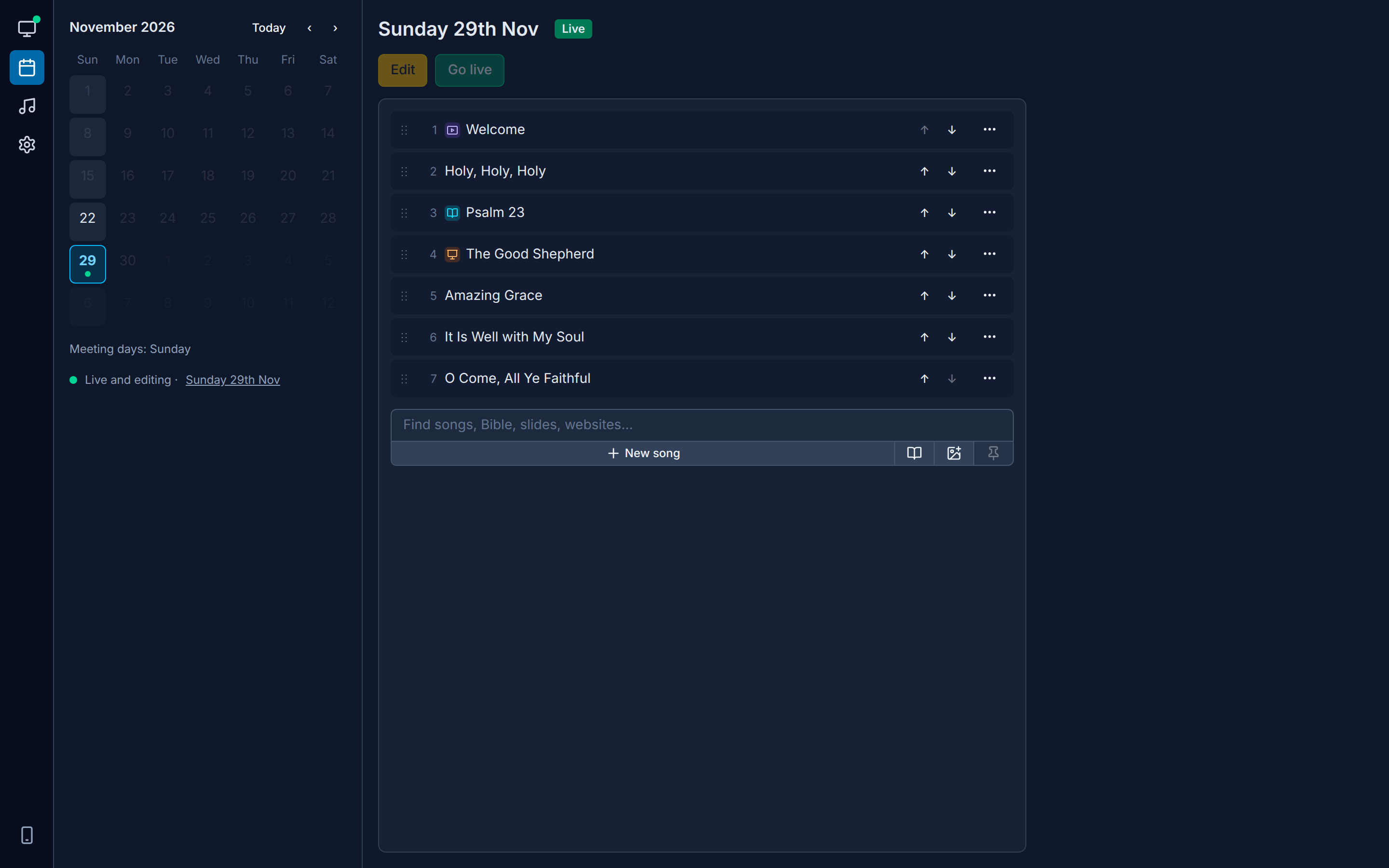
What it does
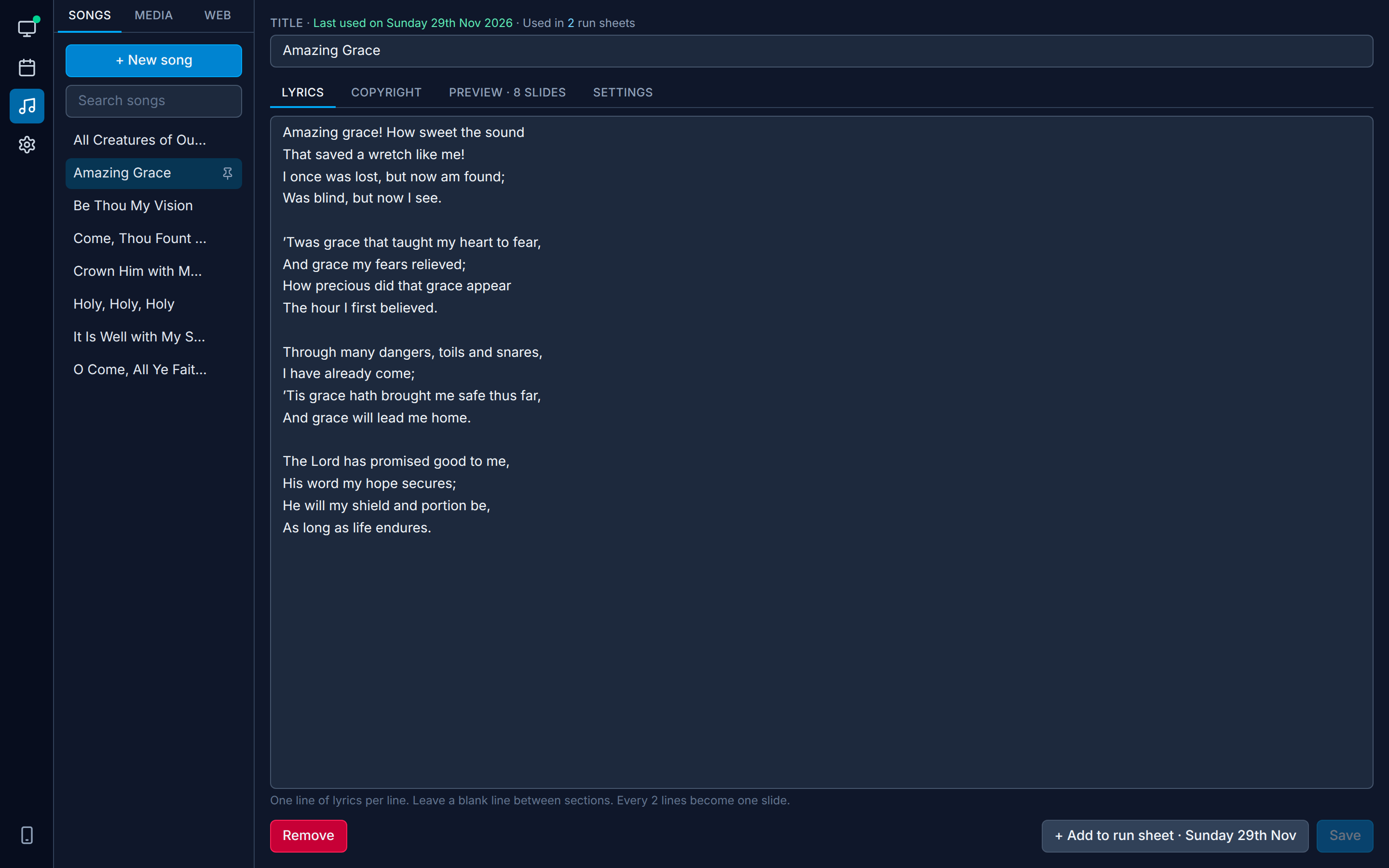
Songs in any language
Search by title or lyrics, and Chinese songs by pinyin or initials. A line and its translations share a slide, in two languages or more. More
Bible passages
Type a reference such as Mark 15:5-6, or browse by book and chapter, and show up to two versions side by side. More
A run sheet for every meeting
Plan on a calendar, reuse an earlier week, and open on today's service, already live.
Slides, PDFs, photos and videos
PowerPoint, Keynote and PDF decks become slides beside the songs. Videos play from the computer, so nothing streams during the service.
Projector and live stream together
A full-screen slideshow with image or video backgrounds, and a subtitle overlay for OBS. Switch OBS scenes and start the stream from Worship Q. More
Control from a phone
Scan a QR code, approve the phone once, and move through the slides or add a Bible passage from anywhere in the room. More
Several computers, one presentation
Every connected computer shows the same slide. If the presenting one fails, another carries on from the same slide. More
Live audio
Send the sound from the mixing desk to other computers and phones, so someone outside the room can switch slides in time.
Works on its own
No account needed, and no internet to plan and present. Phones, Bible passages and slides work through a free public server that keeps nothing; your church's own server adds sharing between computers.
Free and open source
MIT licence, no ads, no subscription. Installed copies update themselves, never while the slideshow is open.
Questions
Is Worship Q free?
Yes. Worship Q is free and open source under the MIT licence, with no ads, no paid tier and no subscription. The public server it uses for phones, Bible passages and slides is free, and so is the church server.
Does it need an account or the internet?
No account, and no internet to plan and present on one computer. Phone control, Bible passages and slides from PowerPoint or PDF work through the free Worship Q public server, which needs the internet and keeps nothing. Running your church’s own server is optional and adds several computers sharing one presentation, songs and media shared between them, backups, and Bible versions that need a key.
Which computers does it run on?
macOS 11 or later (Apple Silicon and Intel) and 64-bit Windows 10 or later. Installed copies update themselves, never while the slideshow is open.
Can it show bilingual lyrics, such as Chinese and English, or more languages?
Yes. Lyrics in any language work, and bilingual or trilingual songs show a line and its translations on one slide: two lines by default, or more, such as Chinese, pinyin and English, by changing Lines per slide in Settings. Songs can be found by title or lyrics, and Chinese songs also by pinyin or initials.
How do I show a Bible passage?
Type a reference the way you would write it, such as Mark 15:5-6 or Mk 15.5-6, or browse by book and chapter, or search for words. Up to two versions are shown side by side on each slide. Without a church server, passages come through the free Worship Q public server, in the versions that need no key (for example KJV, BSB and the Chinese Union Version). A church server can also use the church’s own API.Bible, YouVersion or ESV key, for versions such as NIV, NKJV and ESV.
Can it show PowerPoint, Keynote, PDFs, photos and videos?
Yes. PowerPoint, Keynote and OpenDocument decks and PDFs become slides, and photos and videos go in the run sheet beside the songs. Without a church server, slides are made by the free Worship Q public server and kept on the computer, and videos stay on the computer. With one, every computer of the church has them, and videos are downloaded ahead of time, so nothing streams during the service.
Does it work with OBS for a live stream?
Yes. A subtitle overlay page shows the lyrics as a browser source in OBS, and Worship Q can switch OBS scenes and start or stop streaming and recording from any computer or phone of the church.
Can I control the slides from a phone?
Yes. A phone scans a QR code, is approved once, and can then move through the slides, change the run sheet and add Bible passages. Without a church server, two phones at a time connect through the free Worship Q public server, so the computer and the phones need the internet.
Can several computers share one presentation?
Yes. Computers connected to the church server show the same slide, any of them can take over, and if the presenting computer fails another carries on from the same slide. On the same Wi-Fi they keep working together without internet.
What is the Worship Q public server, and what does it keep?
A free server run by the Worship Q project, which every computer without a church server uses by itself for phone control, Bible passages, slides and live audio. There is nothing to set up or sign in to. It keeps nothing: a slide deck is deleted as soon as the computer has its slides, and anything else within a day; songs, run sheets and recordings never go there. So it is one computer’s helper, not a home for a church’s content. The privacy page, worship-q.com/privacy/, says exactly what passes through it and for how long.
Why would a church still run its own server?
To share: several computers presenting together, songs, run sheets, slides and videos on every computer of the church, the Church Library, off-site backups, browser outputs for a streaming laptop, Bible versions that need a key such as NIV and ESV, recordings of live audio, and an admin app. A computer that joins later brings its slides and videos with it.
Can I import songs from ProPresenter, EasyWorship or OpenLP?
Not yet. For now, paste the lyrics of each song as text, with a blank line between sections; Worship Q splits them into slides. If your church would like to move over and needs an import, email hello@ihs.technology to talk about it. Pull requests are welcome too at github.com/iphren/worship-q.