
Bible passages on the projector
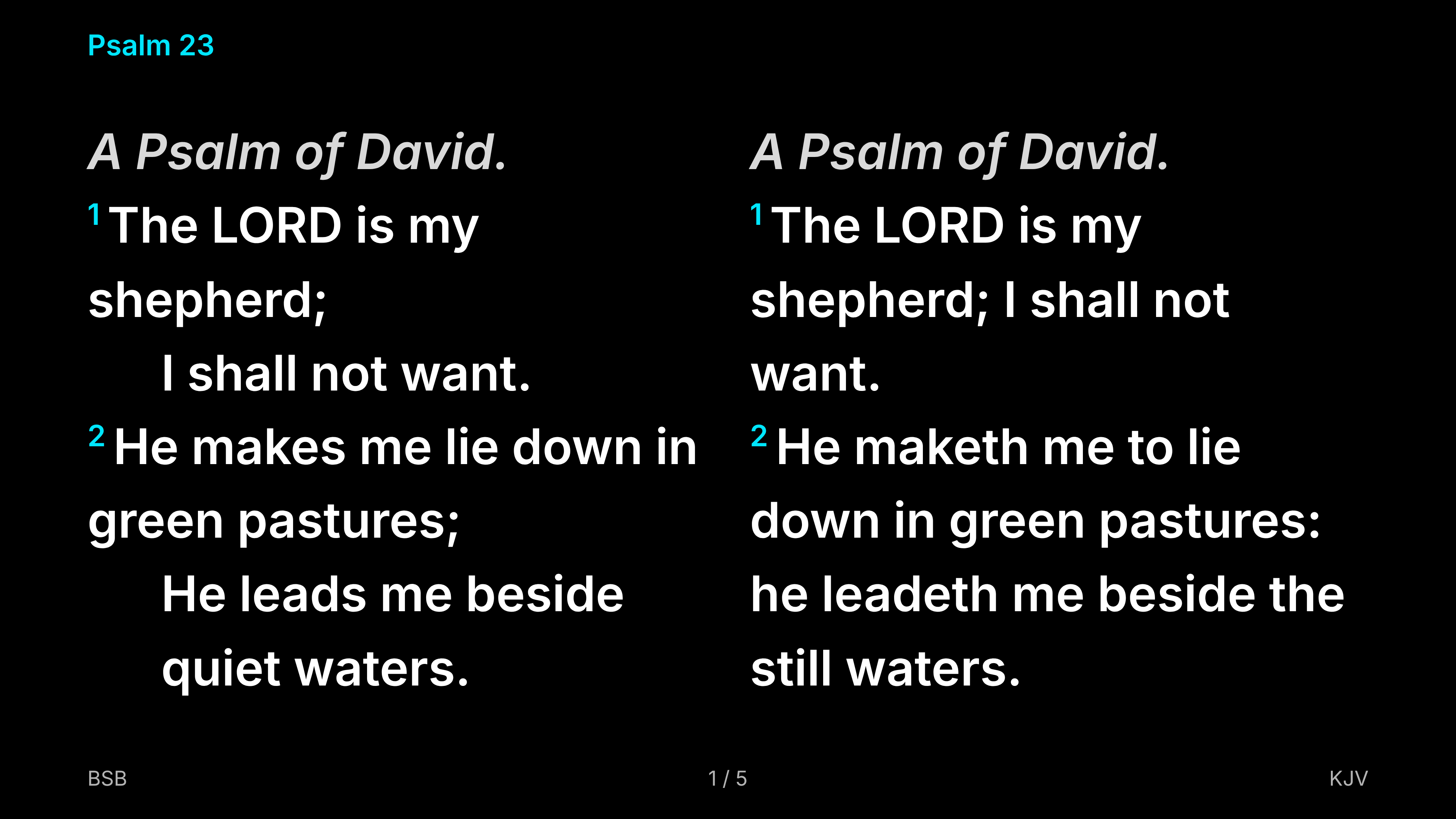
When the speaker reads a passage that is not in the run sheet, Worship Q finds it and puts it on the screen in seconds, in up to two versions side by side.
Find it
- Type the reference the way you would write it:
Mark 15:5-6,Mk 15.5-6, or a Chinese reference. - Browse: choose a book, a chapter, then the first and last verse. A range can carry on into the next chapter.
- Search for words, such as
love your enemies. - A reference typed into the song search offers to open it in the Bible.
Show it
- Present ▶ adds the passage right after the item on screen and shows it at once.
- Add to run sheet puts it in the same place without showing it, for a passage the speaker will read later.
- A passage is a run sheet item like a song: move it, remove it, or edit it to change the verses or versions. Its slides are split by whole verses, with verse numbers and each version's name.
- Passages have their own background, apart from the songs'.
- From a phone, the same window adds a passage to the live run sheet.
Two versions, kept in step
Each slide shows the same verses in both versions. When a version joins two verses into one, or has a verse the other does not, a note under the passage in the app says why it looks different from the speaker's Bible. The projector never shows these notes.
Which versions
Without a church server, Bible passages come through the free Worship Q public server, with nothing to set up: it offers the versions that need no key, such as the King James Version, the Berean Standard Bible and the Chinese Union Version. Your church's own free Worship Q server (setup) offers the same, and with the church's own free keys adds versions such as the NIV (Anglicised), the NKJV, the NLT and the ESV. The church chooses which versions to offer, and each workspace shows up to two.
Passages already in a run sheet present without internet.